
I play a fair amount of football, mini-soccer, and futsal, and like a lot of people I record my matches on a GPS watch. But the stock apps treat a five-a-side game like a jog: a squiggly line on a map, a distance number, an average pace. None of that tells me anything about how I played — where I spent my time on the pitch, how many real sprints I made, whether I faded in the second half.
So I built xPitch: a football match analyzer that turns a raw activity recording into positional, physical, and football-specific analysis, entirely in the browser.
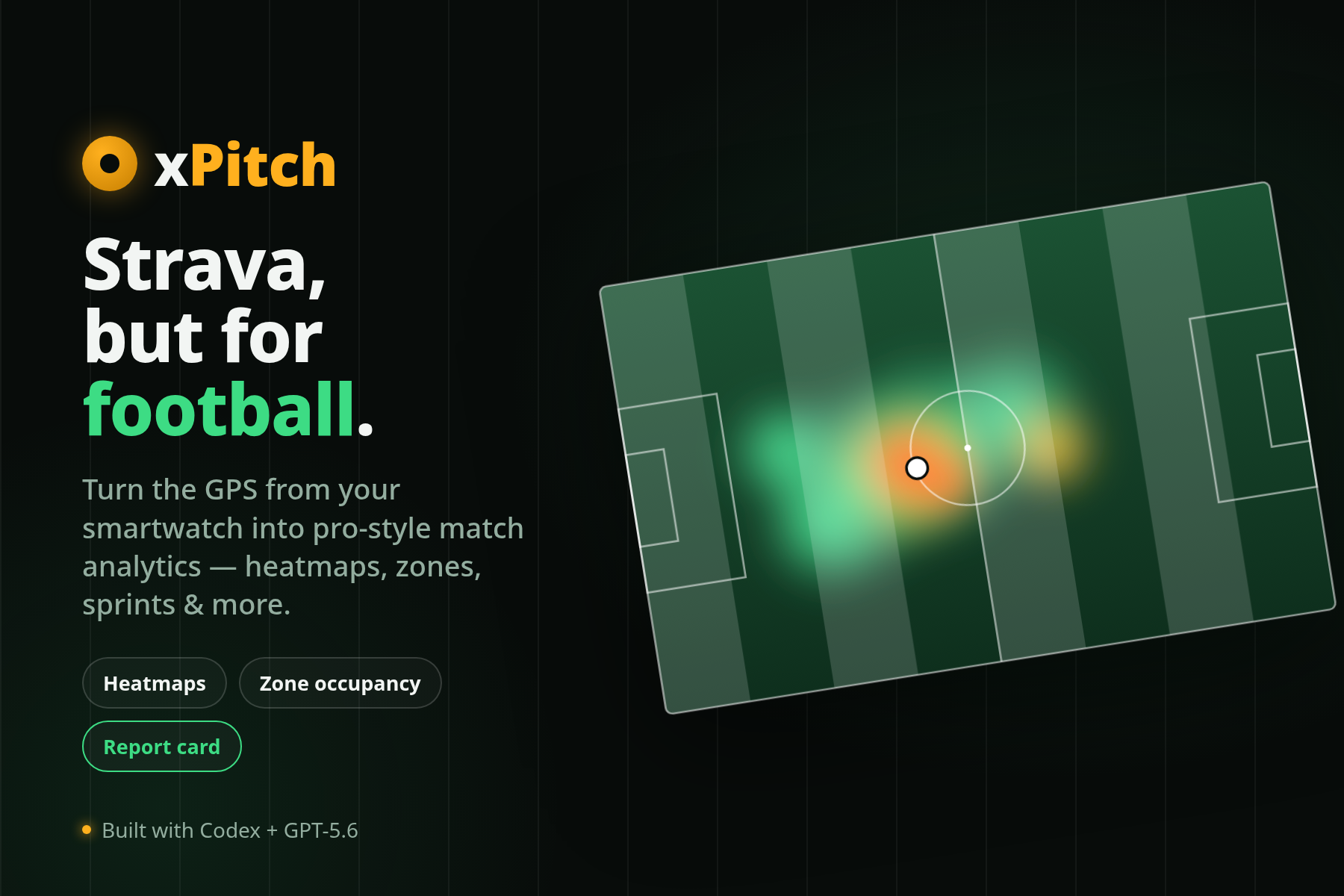 xPitch: turn a GPS recording into a pitch heatmap and match analytics
- Try it: ismailsunni.id/xpitch
- Source: github.com/ismailsunni/xpitch
- Demo video: YouTube
- Devpost submission: devpost.com/software/xpitch
What it does
You upload a .fit, .gpx, or .tcx file — or drop several at once — and xPitch parses it right there in the browser. No account needed, and for local analysis nothing ever leaves your machine. From that recording it produces:
- A positional heatmap and movement trail so you can see where you actually played, not just where you ran.
- Running and physical stats — total distance, speed zones, sprint counts, heart rate, recovery, workload, and a fatigue read across the match.
- Football-specific context — an estimated playing role derived from your movement, and a derived match grade.
- Session and match splitting — long recordings are automatically broken into play and rest by treating sustained gaps as breaks, and there’s a split editor to refine every boundary by hand.
You can define the pitch on a map or from coordinates, which makes the positional mapping much more accurate than assuming a generic rectangle.
Bring your data in
There are two ways to get a match into xPitch:
- Local files. Open Analyze and pick (or drag in) a FIT, GPX, or TCX file. On Android an installed xPitch app can even receive files straight from the system share sheet, and desktop Chromium can open them via file-handler integration — because xPitch is an installable PWA.
- Strava. Connect your Strava account to sync your 100 most recent activities and import their GPS, speed, distance, altitude, and heart-rate streams into the same analysis flow. You can select up to ten activities to stitch a whole afternoon of games into one match setup.
Save, share, and show off
Without an account, xPitch is a private local tool. Sign in (it’s backed by Supabase) and you unlock the social side:
- Save matches and keep a personal history dashboard.
- Browse public profiles and a match feed.
- Keep owner-only notes and attach match photos with public or private visibility.
- Export a match map as an Instagram Story or post image, complete with distance, top speed, inferred role, and a link back to the saved match.
How it’s built
xPitch is a Vue 3 + Vite + TypeScript single-page app with Supabase as the entire backend — Postgres, Auth, Storage, Row Level Security, and Edge Functions. The browser only ever holds the anonymous key; all data access is enforced by RLS policies, and the Strava OAuth token exchange and stream reads live server-side in Edge Functions so secrets never touch client code.
A few things I enjoyed getting right:
- All parsing is client-side. The FIT/GPX/TCX decoding, session segmentation, and analytics all run in the browser, so the no-account path is genuinely private and works offline once installed.
- A single source of truth for stat definitions. Every metric’s description lives in one place and feeds both the inline tooltips and the Help page glossary, so they can never drift apart.
- A proper design system. A lime accent, light-by-default-with-dark-support theming, and charts and the pitch canvas that read their colors from CSS variables.
Why I made it
Mostly for myself. I wanted to answer questions the running apps couldn’t: Am I actually covering the wing, or drifting inside? How many genuine sprints did I make? Did my heart rate tell a story the scoreline didn’t? Once the analysis existed, sharing it — the heatmap, the role estimate, an Instagram-ready match card — turned out to be half the fun.
If you record your football, give it a try at ismailsunni.id/xpitch and let me know what you think. Bug reports and ideas are very welcome on GitHub.
Fin.